
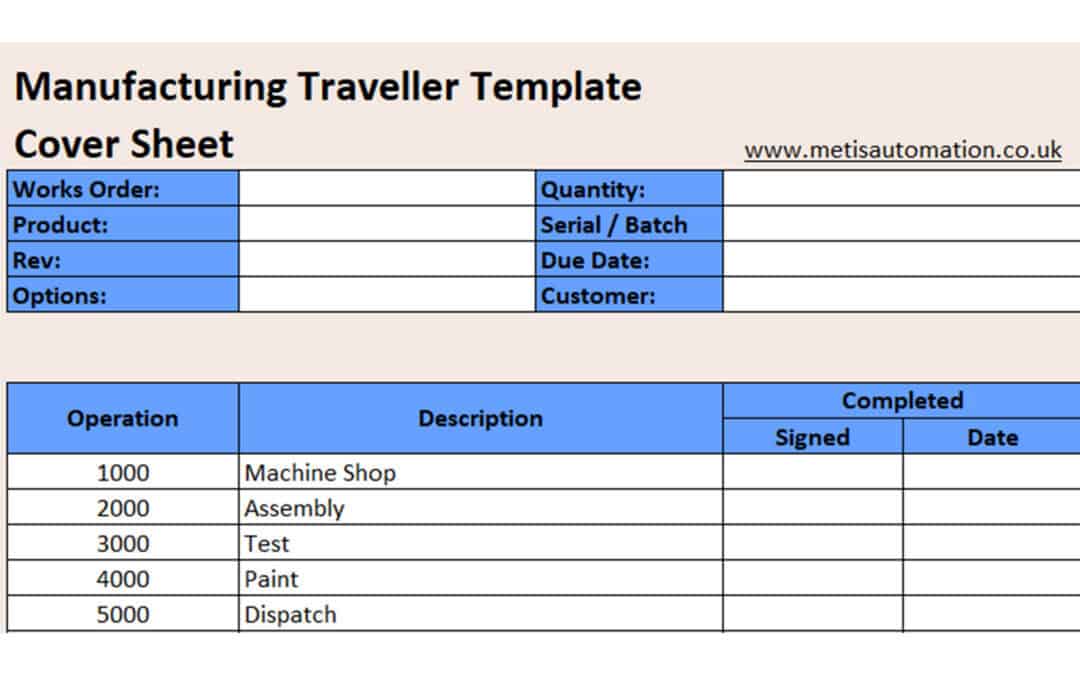
How to Create a Manufacturing Traveller (Free Template)
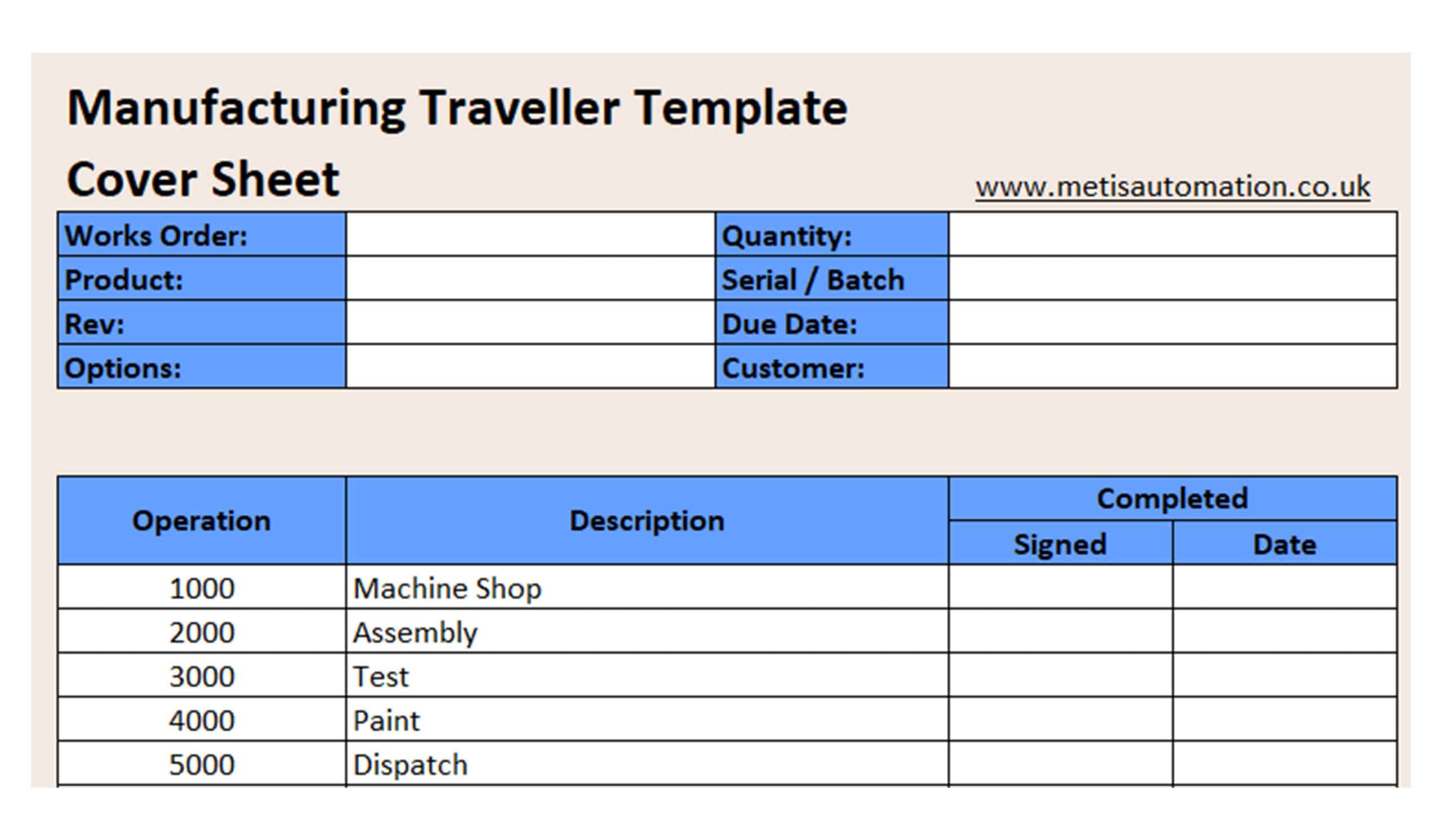
A well‑designed manufacturing traveller helps your team follow each operation in the right order, capture checks consistently and maintain full traceability as a job moves through production.
In this guide we’ll walk through how to build a clear, reliable traveller, and you can download a free Excel template to get started.
Download the free Manufacturing Traveller Template (Excel)
1. Start With the Essential Job Information
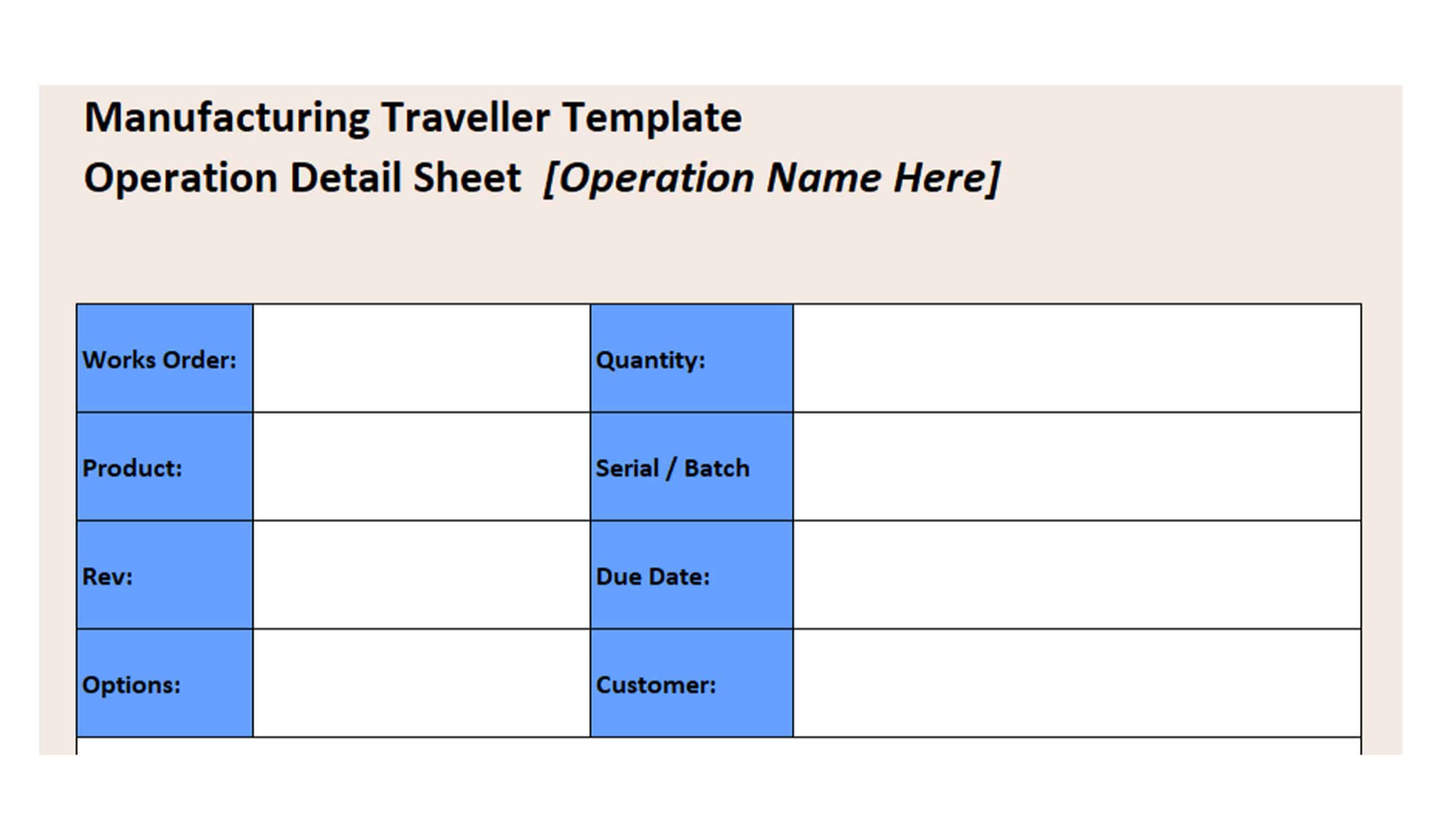
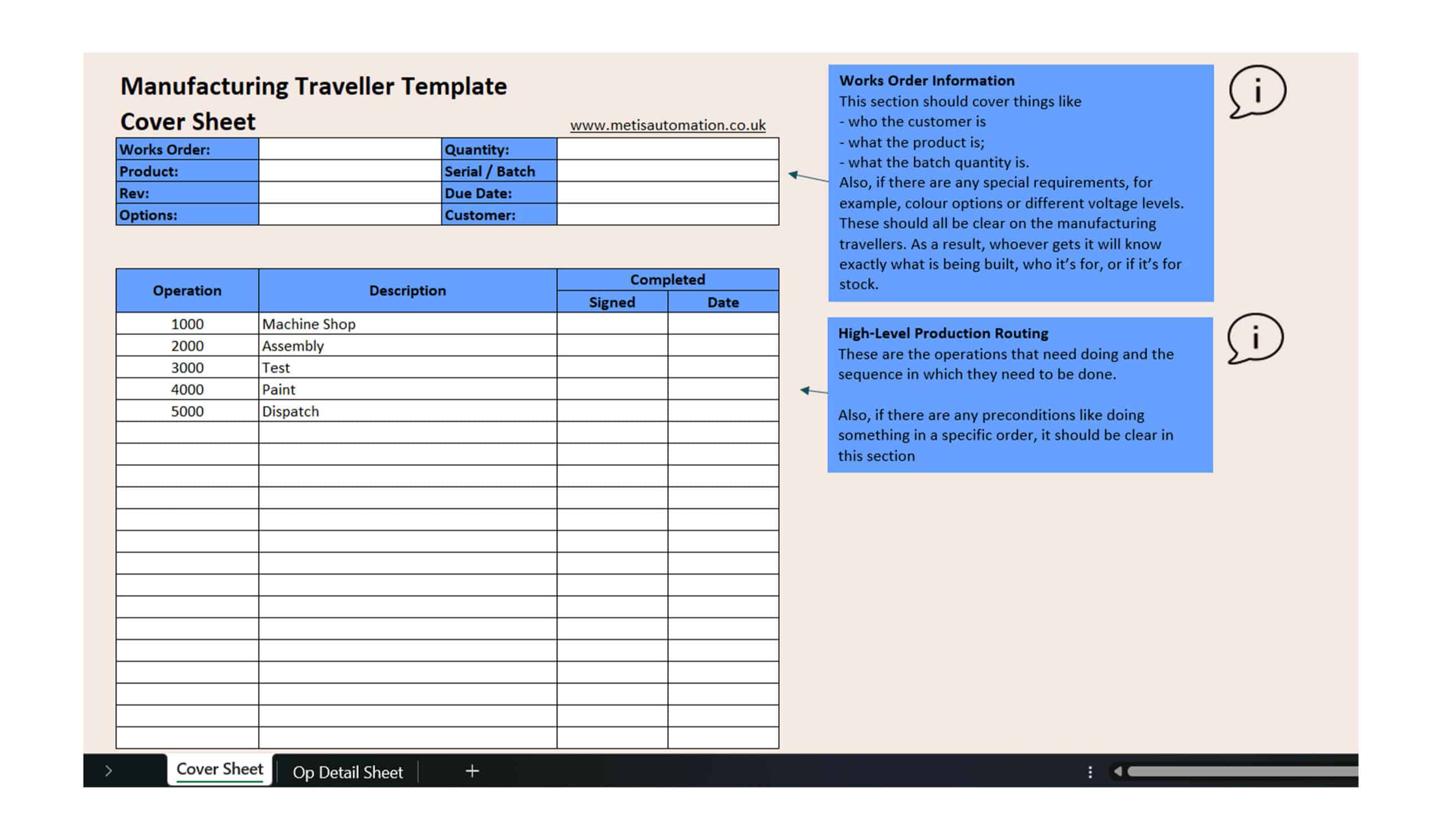
Every traveller begins with the core details of the job.
Include:
-
- Works order number
- Product or part number
- Quantity
- Revision
- Due date
- Customer or build‑for‑stock reference
- Serial or batch numbers
- Any special requirements or configuration options
This ensures everyone starts the build with the same information.
2. Map Out the Routing Steps
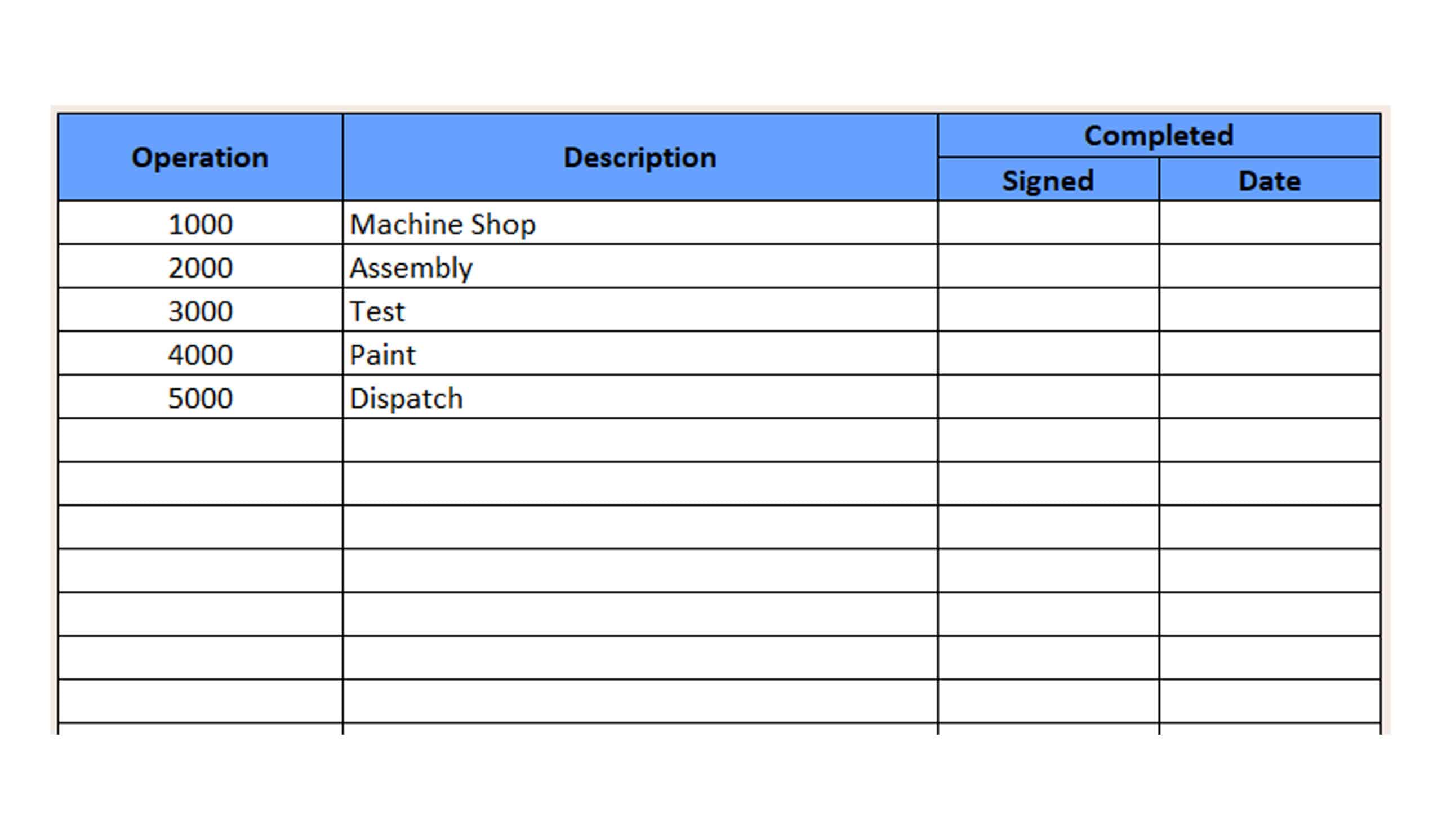
List the operations in the sequence they must be completed.
Typical routing steps include:
- 1000 Machine Shop
- 2000 Assembly
- 3000 Test
- 4000 Paint
- 5000 Dispatch
Keeping routing consistent helps operators follow the same build path every time.
3. Add Operation‑Level Details
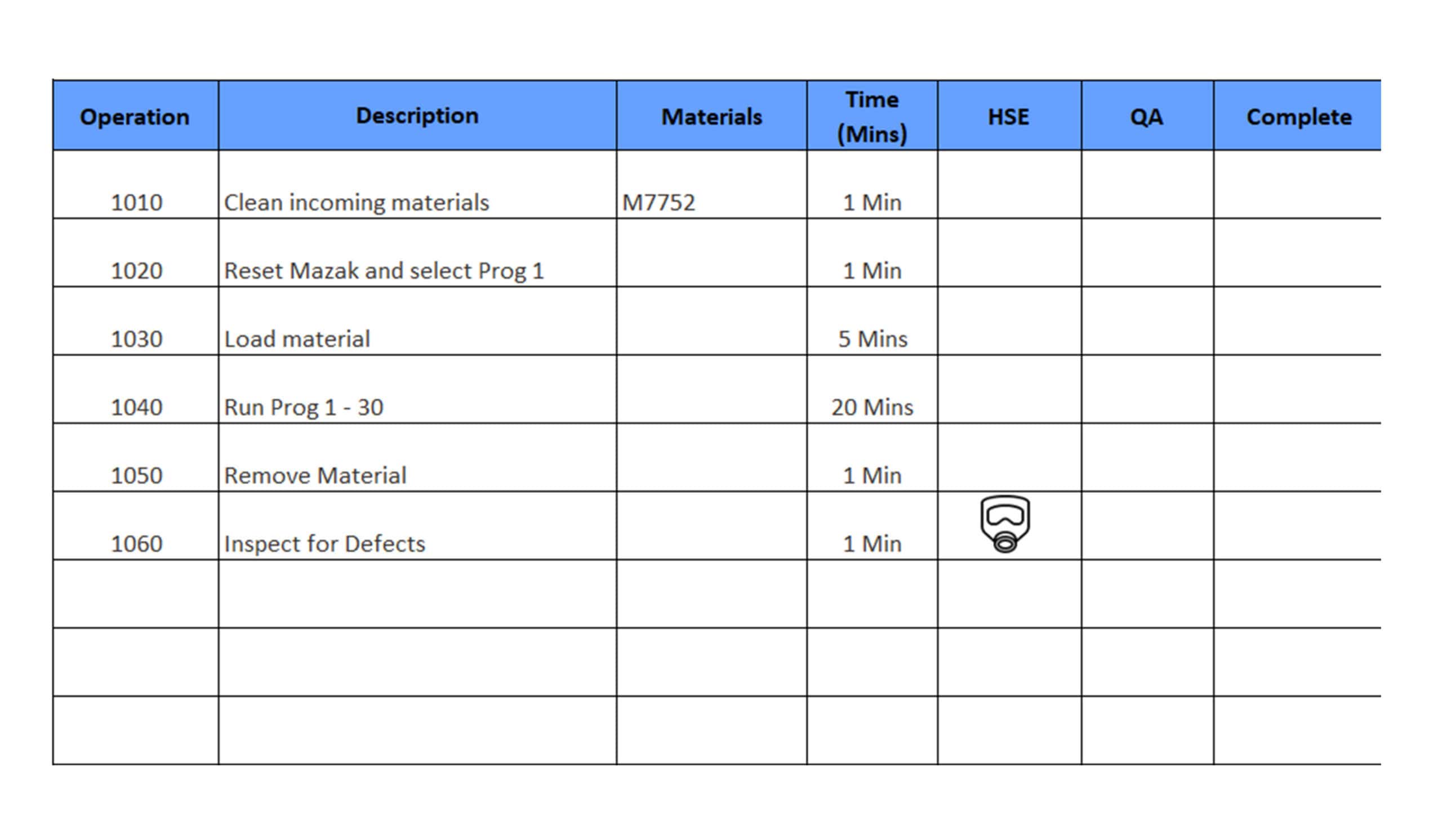
For each operation, outline the information your team needs to complete the step correctly:
- Operation description: A short statement of what happens at
this stage - Materials/consumables required
- Standard time: The expected duration
- HSE notes: Anything to be aware of for safety
- QA checks: Inspections needed before moving on
- Operator sign‑off: For traceability and confirmation
A clear structure reduces variation, supports training and improves quality.
4. Make Travellers Easy to Use and Easy to Find
A good traveller should be clear to read, consistent across products and simple to retrieve when the job is complete.
A few things that help:
- Use the same layout across all travellers so operators know where to find information
- Keep details concise so the document stays easy to follow at the workstation
- Store completed travellers in one place, organised by serial or batch, so build history is easy to trace later
These habits make the traveller more useful day‑to‑day and keep your traceability process reliable.
Download a Free Manufacturing
Traveller Template (Excel)
If you want a ready‑made starting point, you can download our free Manufacturing Traveller Template along with a short guide showing how to complete and duplicate it for your own routing.
When You Outgrow Paper Travellers
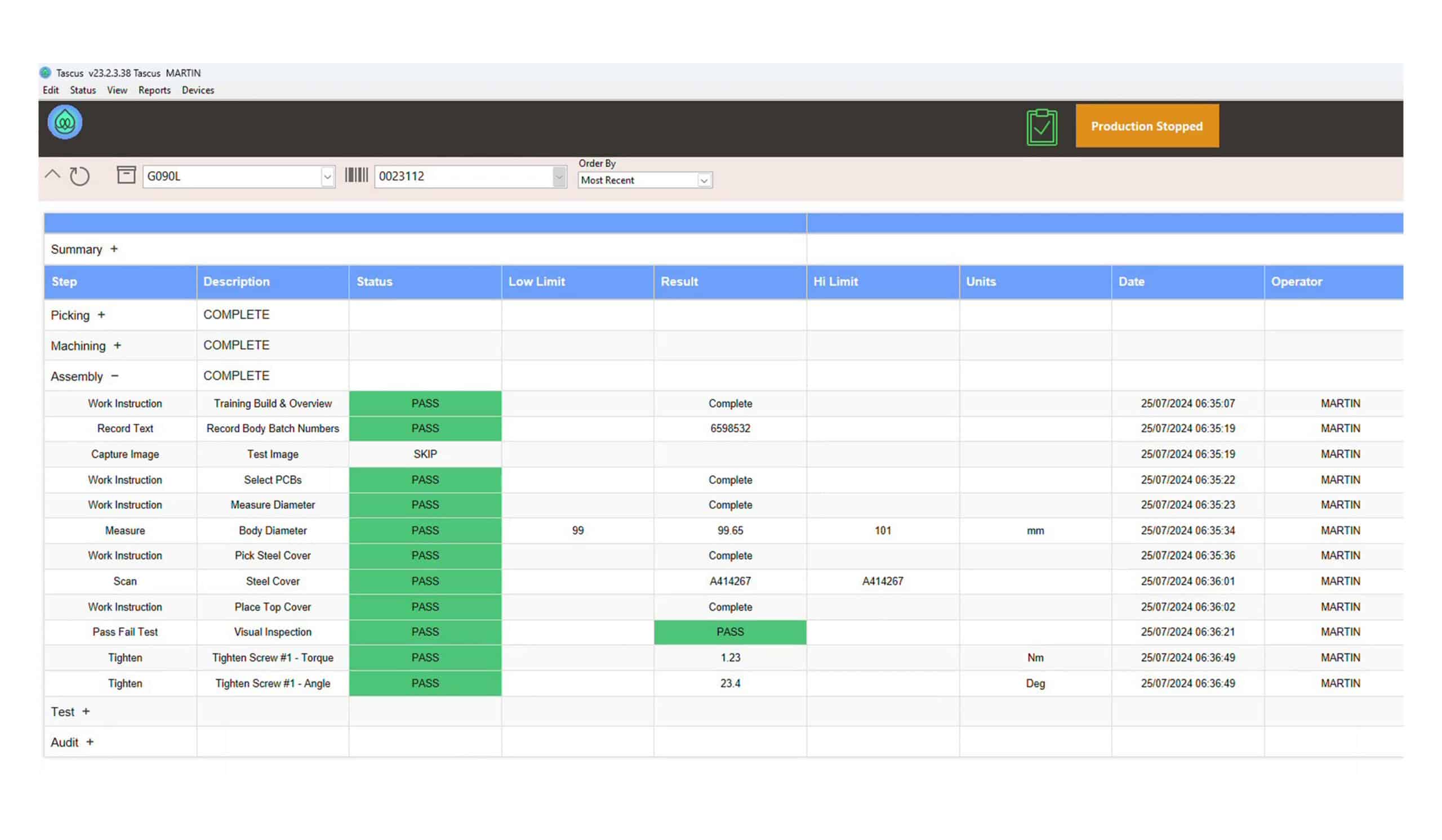
Manual travellers work well until production becomes more complex or traceability requirements increase.
If you want to automate the process, Tascus gives you a production tool with a digital traveller built in. It helps your team follow the right steps, capture checks as they happen and keep every job consistent across the line.
Frequently Asked Questions
What should a manufacturing traveller include?
A traveller should include works order information, routing steps, operation descriptions, materials, standard times, HSE notes, QA checks and operator sign‑offs.
Is there a standard format for manufacturing travellers?
Travellers follow common patterns: a cover sheet, routing, and operation detail sheets, but manufacturers customise them to match their processes.
Do I need a different traveller for each product?
You can use the same template across products as long as routing and requirements are clear. Consistency helps operators find information quickly.
Can travellers include photos?
Yes, but only when they genuinely help. For most steps, concise text is clearer; detailed guidance belongs in work instructions.
When should we move to digital travellers?
When traceability becomes difficult, paperwork increases, or production runs become complex, digital travellers help ensure consistency and record data automatically.
Review Your Production Line
To discuss control within your production line, book a call
with a member of our technical team.